

Setting up a Pussy888 account involves checking regional eligibility, using an official access channel, and entering accurate registration details. A new user should verify availability, protect login information, and review identity, payment, and responsible gaming requirements before playing.
Need the app first? Start from the Pussy888 Malaysia app page, and see the account registration guide for how the account itself is opened.
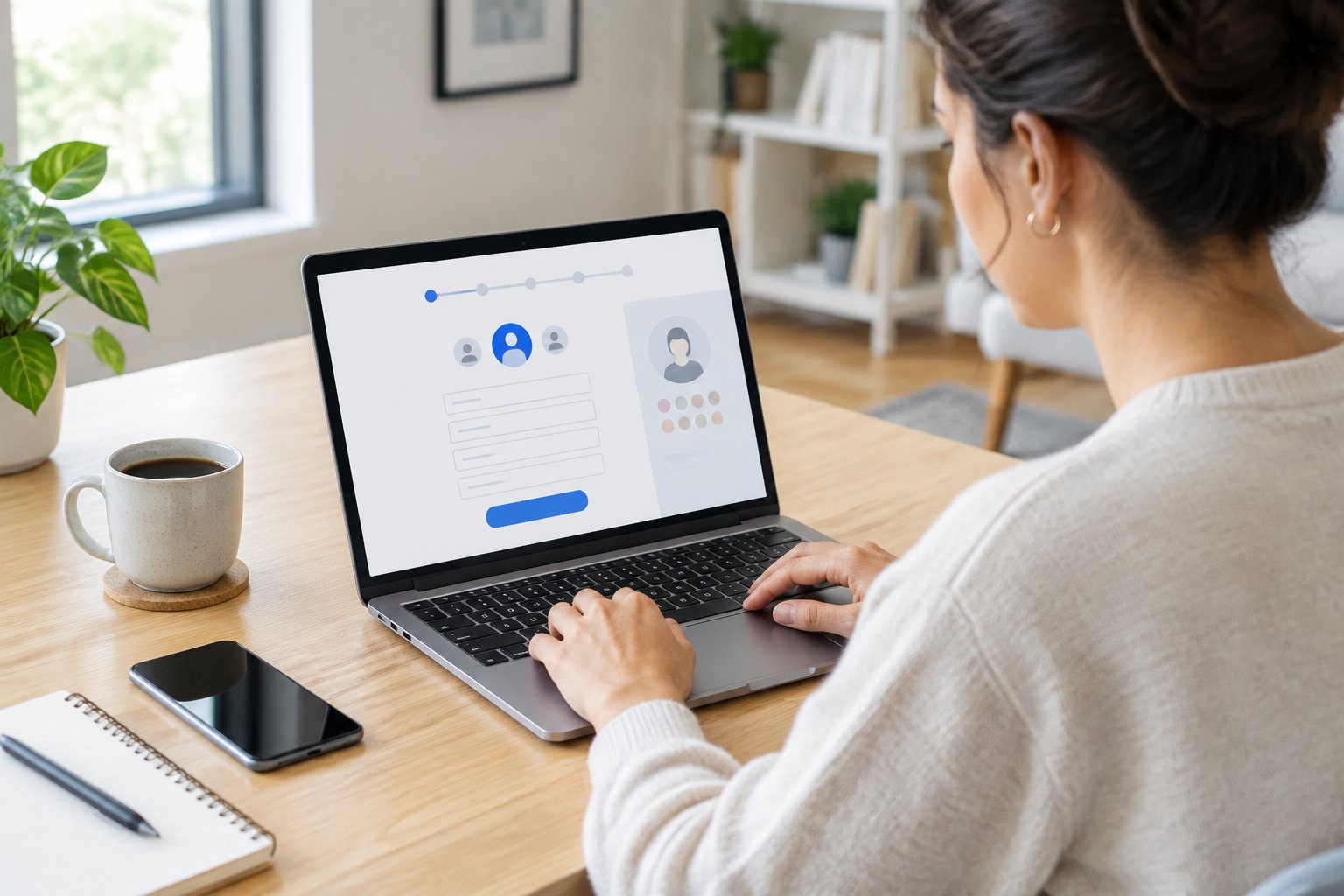
The process may also involve identity verification and an approved payment method. This guide covers the main setup steps, security settings, support options, and common questions so new users know what to expect.
Eligibility And Regional Availability

Players should confirm that they meet the applicable age threshold and that online gambling is permitted where they live before creating an account. Availability, verification procedures, payment methods, and withdrawal options can vary by jurisdiction and destination platform.
Age Requirements
A player must meet the legal gambling age in the country or territory where they reside. The registration page may request personal details such as a name, phone number, email address, or date of birth to confirm eligibility.
A person under the applicable legal age should not register, use another person’s identity, or access someone else’s account. The platform may suspend an account if its information appears false, incomplete, or inconsistent during verification.
Players should prepare accurate identification details before registering. They should also review the platform’s age policy and account terms, since meeting the minimum age doesn’t automatically mean online gambling is legal in their location.
Local Licensing Rules
Pussy888’s availability depends on local gambling laws and the licence, registration, or operating authorization of the specific destination platform. Search results describe services aimed at markets including Malaysia, Vietnam, Thailand, and Indonesia, but regional targeting doesn’t prove that the service is licensed or lawful in every country.
Before entering personal information or depositing funds, a player should verify the operator’s legal name, licence details, responsible-gambling rules, and dispute process. They shouldn’t rely only on labels such as “official” or “licensed” unless an appropriate regulator independently confirms those claims.
Access may also depend on local payment restrictions, identity checks, and regional blocking. If local law prohibits the service, the player shouldn’t bypass those restrictions with false information or technical tools.
Choosing an Official Access Channel
A first-time user should confirm the platform’s legitimate web address before creating an account or entering payment details. The safest choice depends on device compatibility, download requirements, and whether the access route provides clear account, support, and responsible-gaming information.
Website Versus Mobile App
The website generally offers the simplest starting point because it works through a browser without an installation. A user can check the registration page, payment methods, bonus terms, withdrawal rules, and responsible-gaming tools before committing to an account.
A mobile app may provide quicker access and a layout designed for smaller screens, but installation creates extra risks. The user should download an app only when the official site provides the link directly and clearly identifies the required operating system. Unverified application files can contain malware or imitate the platform’s login page.
Before choosing either option, the user should check whether the same account credentials, support channels, deposit methods, and withdrawal procedures apply across platforms. They should also review the time-out feature, which may block login, deposits, and betting for a selected period.
Avoiding Unofficial Links
Search results, social-media posts, private messages, and advertisements may lead to copied websites or affiliate pages. A legitimate-looking design doesn’t prove that a page belongs to the operator. The user should type the verified address manually or save it as a bookmark after checking it through a trusted official source.
The user should inspect the address bar for misspellings, unusual domains, missing HTTPS encryption, and redirects to unrelated pages. They shouldn’t provide passwords, identity documents, bank details, or one-time verification codes through a link sent by an unknown person.
Practical checks include:
- Confirming the domain before registration or payment.
- Checking that contact and support details match the official platform.
- Refusing files from unofficial download pages.
- Avoiding promises of guaranteed winnings or unusually large bonuses.
- Leaving any page that requests unnecessary personal information.
Registration Details
A first-time account setup usually requires accurate identity and contact information, followed by secure login details. The applicant should use consistent personal data and protect access credentials from unauthorized use.
Required Personal Information
The registration form typically requests the applicant’s full name, email address, phone number, and a password. The applicant should enter legal details that match any identity documents or payment accounts used later, since inaccurate information can delay verification or account support.
The email address and phone number should remain accessible after registration. The operator may use them for account notices, verification messages, password recovery, or security alerts. The applicant should check each field carefully before submitting the form and follow any verification instructions shown on the website.
Before depositing funds, the applicant should review the platform’s age, location, identity-verification, and responsible-gambling requirements. Availability and registration conditions can vary by jurisdiction, so the applicant should confirm that online gambling is lawful where they live.
Creating Strong Login Credentials
The applicant should create a unique username and password that they don’t reuse for email, banking, or social-media accounts. A strong password should contain a long combination of uppercase and lowercase letters, numbers, and symbols. It should avoid names, birthdays, phone numbers, and predictable words.
The applicant should store the credentials in a reputable password manager instead of an exposed note or shared message. If the platform offers two-factor authentication or other security controls, enabling them adds protection beyond the password.
The applicant should never share login details with another person or provide them through an unsolicited message. If access details are forgotten, the official login page’s “Forgot Password” function can support recovery. The applicant should avoid unofficial recovery links and verify the website address before entering information.
Account Security Settings
A new player should secure the account before depositing funds or using the platform. Strong login credentials, verified recovery details, and careful handling of one-time codes can reduce the risk of unauthorized access.
Two-Factor Authentication
If Pussy888 offers two-factor authentication (2FA) in the account settings, the player should enable it during setup. 2FA adds a second verification step, usually through an authenticator app, SMS, or email code, after the password.
An authenticator app generally provides stronger protection than SMS because text messages can be exposed through number-transfer fraud. The player should:
- Use an authenticator app when the platform supports it.
- Store backup codes offline in a secure place.
- Never share verification codes with another person or website.
- Check the login domain and app source before entering credentials.
- Avoid enabling “remember me” on shared or public devices.
The player should contact official support if a code stops working or the phone becomes unavailable. They shouldn’t disable 2FA through an unverified link or provide account details to anyone claiming to offer technical assistance.
Password Recovery Options
The player should add a personal email address and mobile number that they can access consistently. These details may support password resets, identity checks, and account-activity alerts, subject to the platform’s stated procedures.
A unique password should contain a long combination of words, numbers, and symbols that the player doesn’t reuse elsewhere. A password manager can generate and store it securely. The player should avoid names, birthdays, phone numbers, and predictable sequences.
Before completing setup, the player should confirm that recovery messages come from the platform’s verified channels. They should access the account through a saved official address or trusted app rather than links in unexpected messages. If the password is forgotten, the player should use the platform’s official reset process and contact support when recovery details no longer work.
Identity Verification
Identity checks may require accurate personal details and supporting documents before a player can deposit, withdraw, or access certain account features. The player should use consistent information and submit clear files through the official Pussy888 website or app.
Document Submission
The player should first complete the account profile with their legal name, date of birth, phone number, and email address. The information should match the identity document exactly, since differences can delay or prevent approval.
If the platform requests documentation, the player may need to provide a valid government-issued identity document, such as a passport or national identity card. The document should be current, readable, and fully visible. Blurred images, cropped edges, glare, or screenshots may lead to a request for resubmission.
Before uploading, the player should check:
- The name and birth date match the account details.
- All document corners and security features remain visible.
- The image uses an accepted file format and size.
- The upload occurs through the official, secure account area.
The player should avoid sending identity documents through unofficial contacts or public messaging channels. Any additional request, such as proof of address or payment ownership, should be checked against the platform’s stated verification requirements.
Verification Review Times
Pussy888 registration approval may occur quickly after email and mobile verification, with some applications reportedly approved instantly. Identity-document reviews can take longer because staff or automated systems must check the document’s validity and compare it with the account information.
A player should monitor the registered email address, phone number, and account messages for status updates or requests for clearer documents. They shouldn’t create duplicate accounts while waiting, since multiple registrations can complicate account checks.
If the review remains pending, the player should confirm that the submission completed successfully and that no requested file remains missing. They should contact official support through the platform’s verified channels and provide the account username or reference number, but never disclose the account password. Review times can vary based on document quality, verification volume, and whether additional checks apply.
Payment Method Preparation
A new player should prepare a supported funding method, verify the minimum deposit, and confirm that the account holder’s details match the payment records. The player should also check transaction limits, processing times, fees, and any identity checks before transferring funds.
Supported Deposit Options
Pussy888 search information lists several possible deposit methods, including DuitNow, FPX online banking, bank transfers, Touch ’n Go eWallet, and USDT. Availability can depend on the account, location, and current payment gateway, so the player should rely on the cashier page instead of assuming every option remains active.
The player should log in, open Cashier or Deposit, select a listed method, and review its minimum and maximum limits. One provided guide lists RM10 as the minimum deposit, but the displayed cashier limits should take priority. For online banking or e-wallet deposits, the player should use only the official payment instructions and verify the recipient details before confirming.
A transaction reference or ID should be saved after payment. If the balance doesn’t update, the player should avoid sending a second payment and contact the platform’s support team with the reference, amount, date, and payment method.
Withdrawal Account Matching
Withdrawal details should match the registered account information. The player may need to provide the full name, bank account name, account number, and linked account details requested by the platform. A mismatch can delay verification or cause the withdrawal to be rejected.
Before depositing, the player should confirm that the bank or e-wallet account belongs to the same person who owns the Pussy888 account. They should also check the withdrawal method, minimum amount, processing time, fees, and any verification requirements shown in the cashier or withdrawal instructions.
The player should keep payment confirmations and avoid using another person’s bank account or e-wallet. If the platform requests identity or transaction documents, they should submit them only through the official account area or verified support channel and remove unrelated sensitive information where possible.
Responsible Gaming Controls
Players can use spending limits to control deposits and reduce impulsive play. Self-exclusion provides a stronger break by restricting account access for a chosen period or until the player requests reinstatement.
Deposit Limits
During account setup, the player should check whether Pussy888 provides daily, weekly, or monthly deposit controls. If available, the player can choose an amount based on essential expenses rather than expected winnings and should treat that figure as a firm maximum.
A suitable limit should cover only discretionary funds. The player shouldn’t use rent, bills, loan payments, emergency savings, or borrowed money for deposits. Keeping a separate record of deposits and withdrawals can help identify spending that’s becoming difficult to manage.
If the platform allows a cooling-off period after a limit increase, the player should use it instead of raising the limit immediately. The player should also avoid chasing losses, since another deposit can’t guarantee a win or recover previous losses.
Self-Exclusion Tools
Self-exclusion lets a player request restricted or blocked access for a selected period. The player should choose this option when gambling affects finances, sleep, work, relationships, or emotional wellbeing, rather than waiting for losses to increase.
Before activating it, the player should withdraw any eligible balance, review pending transactions, and contact platform support through the verified account channel. The player should confirm the exclusion period and ask whether marketing messages, promotional notifications, and new-account access will also stop.
Self-exclusion shouldn’t be treated as temporary account deactivation if the player intends to prevent gambling access. The player shouldn’t create another account or use someone else’s account during the exclusion period. Malaysian players who need additional help should contact a qualified local counselling or gambling-support service.
Getting Help From Customer Support
Support can help resolve registration, verification, payment, and account-access problems. New users should prepare their registered details and describe the issue clearly before contacting the platform.
Common Setup Issues
Registration problems often result from incorrect phone numbers, duplicate accounts, weak passwords, or incomplete required fields. The user should check each entry carefully and avoid creating another account, since duplicate-account rules may restrict access.
Verification delays can occur when submitted documents are unclear, expired, or inconsistent with the registration details. The user should provide readable documents through the platform’s approved process and avoid sending sensitive information through unofficial contacts.
Login failures may involve an incorrect password, a locked account, or an expired verification code. The user should use the official password-recovery process, check whether messages were filtered, and record any error message before contacting support.
Payment questions require extra care. Before requesting assistance, the user should confirm the minimum deposit or withdrawal requirements, account-name matching rules, and any pending verification status. They shouldn’t share a password, one-time code, or full payment-card details with anyone claiming to provide support.
Contact Channels
The search results identify 24/7 live chat and email support at [email protected] as available contact methods. The user should access live chat through the official website or account interface, not through an unverified link.
Live chat suits urgent setup issues because the user can explain the problem and respond to follow-up requests in the same session. Email works better for non-urgent matters or cases requiring screenshots, but the user should remove passwords, one-time codes, and unnecessary financial information from attachments.
A useful support request includes the username or registered contact detail, the approximate time of the problem, the affected step, and the exact error message. Support may also request identity or transaction information, so the user should verify the channel before providing it. They should also retain the ticket number for follow-up.
Frequently Asked Questions
Account setup typically requires accurate personal details, identity checks, and a verified payment method. Android installation problems usually involve device compatibility, security permissions, storage, or an APK downloaded from an untrusted or incomplete source.
How do I create and verify a new account?
The player should use the casino’s official registration page or app, complete the form with accurate information, and create a strong, unique password. They should then follow the email, phone, or identity-verification instructions provided by the platform.
The player should avoid duplicate accounts and confirm that the account name matches the payment account. Before depositing, they should review the operator’s licensing, age requirements, privacy policy, withdrawal rules, and local gambling laws.
What information is required during registration?
Registration commonly requires the player’s full legal name, date of birth, phone number, email address, residential details, username, and password. The platform may request identity documents during verification.
For deposits or withdrawals, it may also require the account holder’s bank name, account number, and payment details. The player should provide information only through the official website or application and shouldn’t share passwords or one-time verification codes.
Why is the app not installing on my Android device?
The APK may fail because the download is incomplete, the device lacks free storage, Android blocks installation from that source, or the APK doesn’t support the device’s processor or Android version. An existing installation with a conflicting signature can also prevent an update.
The player should download the file again from the operator’s official source, check available storage, remove an incompatible previous version if appropriate, and confirm that the file matches the device architecture. They shouldn’t install modified APKs from unofficial websites.
How can I fix the “App not installed” error?
The player should first delete the damaged APK and download a new copy using a reliable connection. They should check Settings → Storage for free space and enable installation permission for the browser or file manager that opened the APK.
If the error continues, the player should uninstall an older version, restart the phone, and verify that the APK supports the phone’s Android version and processor. Android may block the package if its signature conflicts with an existing version or if the file contains unsafe or invalid software.
Is the APK compatible with Android 15 and Infinix phones?
Compatibility can’t be confirmed from the app name alone. The operator should publish the supported Android versions, processor architecture, minimum specifications, and installation requirements.
Android 15 and Infinix devices may support an APK when the package remains compatible with current Android security rules and the phone’s hardware. The player should check the exact model, Android version, available storage, and official compatibility information before installing.
How do I enable permission to install an APK from unknown sources?
On many Android phones, open Settings → Apps → Special app access → Install unknown apps. Select the browser or file manager, then enable Allow from this source. Menu names can differ by Android version and Infinix software release.
Enable the permission only for the trusted app you’ll use to open the official APK. Install the file, then disable the permission afterward. Android may still block an APK that fails security checks or comes from an unverified source.
Related Pussy888 Guides
- Pussy888 account registration process – how to register, what to prepare and what happens after sign-up.
- Pussy888 account security tips – how to protect your login and balance.
- Pussy888 login guide – sign-in steps for the Pussy888 app.
- Back to the Pussy888 Malaysia app overview.
