
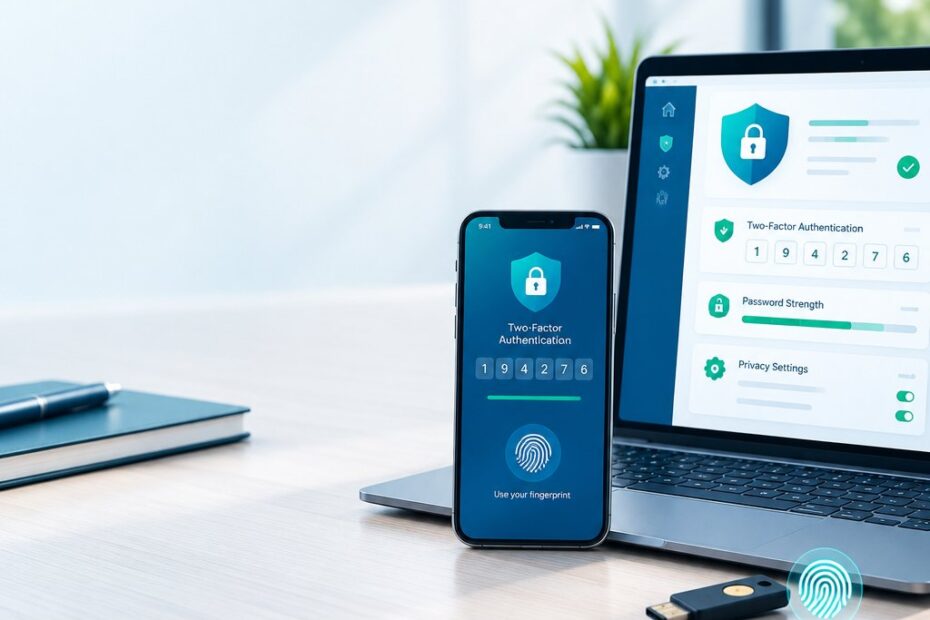
Online casino accounts can expose login details, payment information, and personal data when users overlook basic security controls. Pussy888 users should protect access with unique credentials, trusted devices, and careful verification practices.
Download only from the link on the Pussy888 Malaysia app page, and read the Pussy888 login steps for the sign-in basics.
Users can reduce account risks by using a strong, unique password, enabling two-factor authentication when available, and avoiding suspicious links or unofficial downloads. They should also review login activity, secure their network, protect payment details, and act quickly if they notice unusual account activity.
The following guidance covers safer account access, phishing awareness, device and payment protection, ongoing monitoring, and practical steps to take after a suspected breach.
Account Access Fundamentals
Secure account access depends on a unique password, a monitored email address, and careful control of the devices used to sign in. Players should also enable available verification features, keep software updated, and avoid entering credentials on untrusted websites or applications.
Creating a Strong, Unique Password
A player should create a password used only for the PUSSY888 account. Reusing a password from email, banking, or social media accounts increases the potential impact of a separate data breach.
The password should contain at least 12 characters, combining uppercase and lowercase letters, numbers, and symbols. A password manager can generate and store a random password, so players don’t need to write credentials in notes or save them in an unsecured file.
Players should never use names, birthdays, phone numbers, usernames, or predictable phrases. They should also avoid sharing passwords through messages. If PUSSY888 offers two-factor authentication or another verification method, the player should activate it and store recovery codes securely.
Using a Reputable Email Address
The account should use an email address controlled by the player and protected with its own strong, unique password. The email account may receive password-reset links, verification messages, security alerts, or transaction notifications, so unauthorized email access can threaten the gaming account.
Players should enable two-factor authentication on the email account when available. They should check the sender address and destination link before responding to login or verification messages, since phishing pages can imitate legitimate sign-in screens.
A separate email address for gaming accounts can reduce exposure of the player’s primary inbox. It should remain active and monitored, especially when the account contains payment or identity information. Players should update the registered address through official account settings and contact support through verified channels if they lose access.
Avoiding Shared Device Logins
Players should avoid signing in on public computers, borrowed phones, or devices used by many people. Untrusted devices may retain browser sessions, saved passwords, autofill data, or malicious software that can capture credentials.
When a shared device is unavoidable, the player should use a private browsing window, avoid saving login details, and sign out before closing the session. They should also remove downloaded documents containing account or identity information.
Personal phones and computers should use a screen lock, current operating-system updates, reputable security software, and downloads from official sources. After using another device, the player should review active sessions and change the password if the device seemed unsafe or the account remained signed in.
Two-Factor Authentication And Verification
A Pussy888 account should use every available login safeguard, with an authenticator app preferred over SMS when both options exist. Users should also protect verification codes, update recovery details, and remove outdated devices or phone numbers promptly.
Enabling Available Security Controls
The account holder should open the official Pussy888 account settings and check for two-factor authentication, two-step verification, or multi-factor authentication. If available, an authenticator app, security key, or approval prompt generally provides stronger protection than text-message codes because attackers can target phone numbers through SIM-swapping attacks.
The user should enable the control on the official website or application, not through a link in an unsolicited email or message. After setup, the user should sign out and test the login process using a private device and network. They should save the provided backup codes in a secure password manager or offline location and never store them in an unprotected chat, email draft, or public note.
Protecting Verification Codes
A verification code should remain private, even if someone claims to represent Pussy888 support. Legitimate support staff shouldn’t need the user’s one-time code, password, or complete payment details. The user should enter codes only on the official login page or application and should check the web address before submitting them.
Unexpected codes can indicate an attempted login. The user shouldn’t approve an unfamiliar push notification or share a code received without requesting one. Instead, they should change the account password, review active sessions, and contact support through the platform’s verified contact channel. Password reuse should be avoided because a stolen password from another service can put the account at risk.
Reviewing Recovery Options
Recovery information should stay current. When the user changes a phone number, replaces a device, or loses access to an authenticator app, they should update the account’s registered details and unlink the previous device where the platform allows it.
The user should review recovery email addresses, trusted devices, active sessions, and backup codes regularly. Each recovery account should have its own strong, unique password and two-factor authentication. Backup codes should be replaced if they were exposed, copied insecurely, or used. If the account becomes inaccessible, the user should use only the official recovery process and provide the minimum information required for identity verification.
Recognizing Phishing And Impersonation
Pussy888 users can reduce account risks by checking every website address, treating unexpected messages cautiously, and contacting support through verified channels. They should never disclose passwords, one-time codes, payment details, or recovery information in response to an unsolicited request.
Checking Website Addresses Carefully
Before signing in, a user should inspect the complete website address in the browser’s address bar. The domain name should match the platform’s known official domain exactly; small changes involving extra words, altered spelling, unusual endings, or substituted characters can indicate an imitation site.
A secure connection shown by HTTPS helps protect data in transit, but it doesn’t prove that a website is legitimate. Phishing pages can also use HTTPS. Users should avoid login links from advertisements, pop-ups, QR codes, or unexpected messages and instead open a trusted bookmark or manually enter the verified address.
They should also check for:
- Misspelled or shortened domains
- Unusual subdomains or redirects
- Browser security warnings
- Requests to install unfamiliar software or extensions
Identifying Suspicious Messages
Phishing messages often create urgency by claiming that an account will close, a payment failed, or verification must happen immediately. Attackers may imitate a gaming platform, payment provider, customer-service agent, or friend and ask for login credentials, one-time passwords, identity documents, or payment information.
A user should avoid clicking links or opening attachments until they verify the request independently. The sender’s name may look genuine, but the actual email address, phone number, message wording, and linked destination can reveal impersonation.
Suspicious signs include:
- Unexpected login or payment alerts
- Pressure to act quickly or keep the request secret
- Poor grammar or unusual wording
- Requests for passwords or authentication codes
- Payment instructions that differ from normal procedures
The safest response involves closing the message and accessing the account through a known official route.
Using Official Support Channels
When an account issue requires assistance, the user should locate support details through the verified website or the platform’s established application, not through contact information supplied in an unsolicited message. Support staff shouldn’t need the user’s password or one-time authentication code.
A user should never send credentials, full payment-card details, or recovery codes through chat, email, or social media. If support requests identity verification, the user should confirm the request through the official account area and follow the platform’s published process.
If a user suspects impersonation, they should preserve the message, sender details, links, and transaction records without interacting further. They should change the account password from the verified website, enable available multi-factor authentication, review active sessions and payment activity, and report the incident through official support.
Safe Device And Network Practices
A secure device and trusted network reduce the risk of stolen login details, malicious software, and unauthorized access to a Pussy888 account. Regular updates, careful network choices, and strong mobile protections help keep account activity private.
Keeping Software Updated
Players should install updates for the operating system, web browser, security software, and the Pussy888 app, if applicable. Updates often fix security weaknesses that attackers could exploit, so automatic updates should remain enabled whenever the device supports them.
They should download apps and updates only from official app stores or the service’s verified website. Unofficial APK files, modified applications, and browser extensions can contain malware or capture passwords. Before signing in, the player should also check that the browser uses HTTPS and that the domain name is spelled correctly.
A supported browser should replace outdated software. Players should remove unused apps and extensions, because each additional program can create another security risk. If a device shows unusual pop-ups, redirects, or unexpected login alerts, the player should stop entering credentials and run a security scan.
Avoiding Public Wi-Fi for Sensitive Actions
Public Wi-Fi in cafés, hotels, airports, and similar locations may be poorly secured or controlled by unknown operators. Players should avoid signing in to Pussy888, changing account settings, or entering payment information while connected to an untrusted network.
Mobile data or a trusted private network provides a safer alternative. If public Wi-Fi is unavoidable, the player should verify the network name with staff, disable automatic connection, avoid file sharing, and use a reputable VPN with current software. A VPN doesn’t protect against phishing sites, weak passwords, or malware, so it shouldn’t replace other safeguards.
After using public Wi-Fi, the player should disconnect and select “forget this network.” They should also review recent account sessions and sign out of any device they don’t recognize.
Securing Mobile Devices
A mobile device used for account access should have a strong screen lock, preferably a long PIN or password rather than an easily guessed pattern. Biometric unlocking can add convenience, but a secure backup PIN remains essential. The player should enable automatic locking after a short period and avoid sharing the device while it’s unlocked.
Device-finding and remote-wipe features should remain enabled. These tools can help protect account data if the phone is lost or stolen. The player should install apps only from official stores, review requested permissions, and deny access that an app doesn’t need.
Sensitive notifications should stay hidden on the lock screen, especially one-time codes and password-reset messages. The player should also avoid saving passwords in untrusted browsers and should use a reputable password manager when possible.
Payment And Personal Data Protection
Secure payment habits, limited information sharing, and regular transaction checks help reduce exposure to fraud and unauthorized account use. Users should verify payment channels, protect account credentials, and report unfamiliar activity promptly.
Using Trusted Payment Methods
Users should make deposits and withdrawals only through payment options listed inside the official account area. They should avoid links from unsolicited messages, unofficial download pages, and third-party agents requesting card details or one-time codes.
Before entering payment information, the user should check that the website address is correct and that the connection uses HTTPS. A reputable payment service should display clear transaction details, including the amount, currency, fees, and recipient. Users should avoid saving card details on shared devices and should never disclose a password, PIN, or verification code to another person.
Recommended safeguards:
- Use a payment method that supports transaction alerts or dispute handling.
- Keep payment apps and device software updated.
- Use a unique password for the gaming account.
- Avoid public Wi-Fi when accessing payment pages.
- Keep receipts and confirmation messages for later comparison.
Limiting Shared Personal Information
The user should provide only the information required for account verification, payment processing, or legal compliance. They should not send identity documents, card images, passwords, or security codes through social media, chat groups, or unofficial support accounts.
If an identity document becomes necessary, the user should confirm the request through the platform’s verified support channel. They should ask why the document is needed, where it will be stored, and whether unnecessary details can be obscured. Any copy should include a visible purpose and date when appropriate, while preserving details required for verification.
Users should also protect email accounts and phone numbers linked to the account. Strong, unique passwords and multi-factor authentication can reduce the effect of a stolen password. They should avoid posting usernames, account IDs, birthdays, or other information that scammers could combine to impersonate them.
Monitoring Transaction Activity
Users should review account balances, deposits, withdrawals, and payment notifications after each transaction. They should compare the recorded amount with the receipt and check for unexpected fees, duplicate charges, failed-payment reversals, or changes to withdrawal details.
Banks and payment providers often offer real-time alerts. Enabling notifications for transfers, card payments, password changes, and new-device logins helps the user identify suspicious activity quickly. The user should keep transaction records in a secure location and avoid relying only on text messages, which attackers may intercept or imitate.
If unfamiliar activity appears, the user should change the account password from a trusted device, sign out of other sessions, and contact the payment provider through its official channel. They should report the transaction promptly, preserve relevant screenshots and reference numbers, and avoid sending additional funds to “unlock” or reverse a payment.
Ongoing Account Monitoring
Regular checks can reveal unauthorized access before it affects deposits, withdrawals, or personal details. Players should review login activity, verify account changes, and replace credentials promptly if exposure seems possible.
Reviewing Login History
Players should review the account’s login history whenever the platform offers that feature. They should check the date, time, device, browser, and approximate location for each session, especially activity from periods when they weren’t using the account.
An unfamiliar location doesn’t always prove a compromise, since mobile networks and VPNs can affect location data. Still, an unknown device paired with an unexpected login deserves immediate action. The player should sign out of active sessions, change the password, and contact official support through the platform’s verified channels.
They should also monitor email, SMS, and app notifications for login alerts, password resets, or verification requests they didn’t initiate. They should never approve an authentication request or share a one-time code just because someone claims to represent the platform.
Watching for Unrecognized Changes
Players should check the account profile, linked contact details, payment methods, transaction history, and security settings regularly. They should treat changes to an email address, phone number, withdrawal destination, password, or verification information as urgent when they didn’t make them.
A player should save screenshots of suspicious changes and record the relevant dates and transaction references. They should avoid clicking links in unexpected messages. Instead, they should access the service through its known official website or application.
If a transaction or withdrawal looks unfamiliar, the player should contact the platform’s official support team immediately and ask whether they can temporarily secure the account. They should also review their email account and device for signs of unauthorized access, since a compromised email account can enable further password resets.
Updating Credentials After Suspected Exposure
After a suspected exposure, the player should change the account password from a trusted, updated device. The new password should be unique, long, and unrelated to names, birthdays, usernames, or passwords used on other services.
They should change the associated email account’s password too, especially if the same password appeared elsewhere. If the platform supports two-factor authentication, they should enable it and store recovery codes securely, rather than in an accessible notes app or shared location.
The player should then sign out of all sessions, review active devices, remove unfamiliar access, and check recent account activity again. They should contact official support if they can’t regain control, notice unauthorized transactions, or suspect that someone accessed identity documents or payment information.
Incident Response Steps
A compromised Pussy888 account requires prompt access control, verified communication with platform support, and accurate records of suspicious activity. These actions can limit further misuse and help establish what happened.
Securing Access Immediately
The account holder should stop using the account on any device that may contain malware or unauthorized remote-access software. They should use a trusted device, open the official Pussy888 website or app, and change the password through the verified login page.
The new password should be unique, long, and unrelated to usernames, birthdays, gaming terms, or other reused credentials. If the account uses the same password elsewhere, those services should receive new passwords too. The account holder should also:
- Sign out of other sessions, if the option exists.
- Remove unfamiliar devices or saved login sessions.
- Enable available two-factor authentication.
- Check and update the registered email address and phone number.
- Review payment details and withdraw or pause any unrecognized authorization.
They should not share verification codes, passwords, or recovery links with anyone claiming to provide urgent assistance.
Contacting Platform Support
The account holder should contact Pussy888 support through contact details published inside the official app or on the verified website. They should avoid links from unsolicited messages, social media replies, or search advertisements that redirect to unfamiliar domains.
The support request should explain that someone may have accessed the account without permission. It should include the username, registered contact information, approximate discovery time, and actions already taken. The account holder should request specific checks, such as:
- Active sessions and recent login locations
- Password, email, phone, or payment changes
- Unrecognized wagers, deposits, withdrawals, or account activity
- Temporary account restrictions while the investigation proceeds
They should never send a full password, one-time code, or complete payment-card number. Support may require identity verification, so the account holder should provide information only through the platform’s approved process.
Documenting Unauthorized Activity
The account holder should preserve evidence before deleting messages, changing device settings, or resetting affected hardware. A simple incident log can record the date, time zone, device, activity observed, and action taken.
Useful records include screenshots of unfamiliar transactions, login alerts, changed profile details, support conversations, suspicious emails, and relevant website addresses. Original messages should remain available because their headers, sender details, and timestamps may help identify fraudulent activity.
The account holder should record transaction references and promptly contact the bank or payment provider about any unauthorized financial activity. They should monitor statements and email accounts for related changes. Evidence should be stored securely, with sensitive information such as full card numbers, passwords, and authentication codes removed or masked before sharing.
Frequently Asked Questions
Players can reduce account risks by using unique credentials, verifying official login pages, enabling available security controls, and protecting payment details. They should also act quickly when they notice suspicious activity or lose access.
How can I create a strong and secure password for my gaming account?
The account holder should use a unique password of at least 12 characters, mixing uppercase and lowercase letters, numbers, and symbols. The password shouldn’t include their name, phone number, birth date, username, or an easily guessed phrase.
A password manager can generate and store a different password for each service. The player should never reuse the gaming password for email, banking, or payment accounts.
What should I do if I suspect unauthorized access to my account?
The player should change the password immediately from the verified official website or application. If the same password appears on other services, they should change those passwords too.
They should review recent logins, account activity, withdrawals, and payment records. The player should report any unfamiliar transaction or profile change to official customer support through a verified contact channel. They should also preserve relevant screenshots and transaction details.
Is two-factor authentication available, and how do I enable it?
The player should check the account’s security or profile settings for two-factor authentication. If the platform offers it, an authenticator app generally provides stronger protection than text messages.
The player should activate the feature, store the recovery codes offline, and avoid sharing verification codes with anyone. If the option doesn’t appear, they should ask verified customer support whether it’s available for that account or region.
How can I recognize phishing messages or fake login websites?
Phishing messages often create urgency, request passwords or one-time codes, promise bonuses, or direct users to unfamiliar links. The player should avoid opening those links and should never send credentials through email, messaging apps, or social media.
Before logging in, the player should type the known official address manually or use a trusted bookmark. They should check the domain carefully, confirm that the connection uses HTTPS, and avoid APK files or login pages from unofficial sources.
What steps should I take if I forget my password or lose access to my account?
The player should use the official password-reset process and provide only the information requested through the verified platform. They should check the registered email address or phone for reset instructions, including spam or blocked-message folders.
If recovery fails, the player should contact official support and explain the problem without sending a password or one-time code. Support may request account-identification details, but the player should verify the contact channel before sharing personal information.
How can I keep my personal and payment information protected while playing online?
Use a private, updated device with screen locking, current operating-system patches, and reputable security software. Avoid public Wi-Fi when making deposits, withdrawals, or account changes. A trusted mobile connection is safer.
Check the recipient’s details before every payment, keep your transaction receipts, and don’t store card or banking information unless the platform requires it. Never share bank passwords, authentication codes, identity documents, or full payment details through unsolicited messages.
Related Pussy888 Guides
- first-time Pussy888 account setup checklist – what to check before opening an account.
- Pussy888 password reset steps – how to regain access if you forgot your password.
- Pussy888 login on multiple devices – how sessions behave across phone, tablet and PC.
- Back to the Pussy888 Malaysia app overview.
