
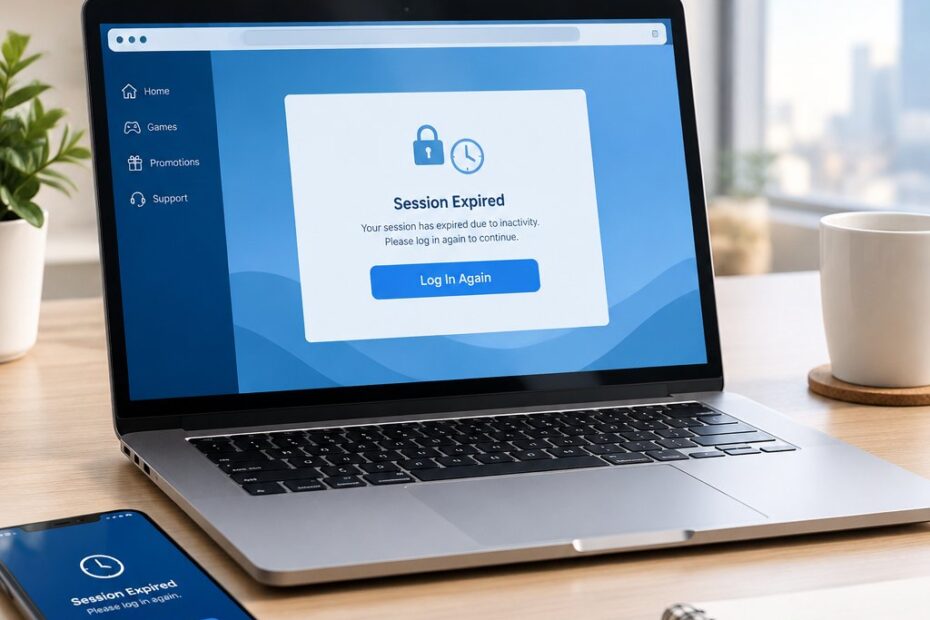
A Pussy888 “session expired” message means the platform no longer recognizes the user’s current login session. The user may need to sign in again before accessing the account.
This assumes you already follow the Pussy888 login steps. For the full error checklist, see the Pussy888 login problem fix. App overview: Pussy888 Malaysia.

The message usually results from inactivity, an unstable connection, incorrect device time, browser issues, or temporary maintenance. This article explains how users can restore access, check account security, and reduce the chance of repeated interruptions.
It also covers when customer support should handle the issue, especially if login attempts keep failing or the account appears suspended. Frequently asked questions address common situations and practical troubleshooting steps.
What the Notification Indicates

A “session expired” message usually means the current login session ended because of inactivity, a timeout, a connection issue, or a system reset. It doesn’t automatically mean that Pussy888 suspended or restricted the account.
Difference Between Timeout and Account Restriction
A session timeout ends the active login without changing the account’s status. It can happen after a period without activity, when cookies or session data become invalid, or when the connection, proxy, or firewall prevents the site from maintaining the session. The user can usually sign in again after reopening the official website or app.
An account restriction creates a separate access problem. The service may display messages such as account locked, account suspended, incorrect credentials, or verification required. Repeated login failures, security checks, or suspected unusual activity can trigger these restrictions, but the wording “session expired” alone doesn’t confirm one.
Users shouldn’t assume the notification proves an account problem. They should check whether the official login page accepts their credentials and contact verified support if the message continues after normal troubleshooting.
When a New Login Is Required
A new login becomes necessary when the previous authentication token expires or the service ends the session for security reasons. The user should close any outdated login page, open the verified Pussy888 website or official application, and enter credentials only on a legitimate domain or trusted app.
If the page requests a password, payment details, or one-time code through an unexpected link, the user shouldn’t provide them. Phishing pages often imitate timeout notices to capture account information, so users should access the service directly instead of selecting links in emails, messages, or pop-ups.
Persistent expiration notices may result from blocked cookies, incorrect device time, unstable internet access, or an outdated app. Clearing site data, updating the app, checking the connection, and signing in again may resolve the problem.
Common Causes of Interrupted Access
A “session expired” message usually means the site no longer accepts the browser’s saved login session. In Pussy888, inactivity, a changed network connection, or temporary app and server maintenance may interrupt access.
Inactivity Limits
Pussy888 may end a login session after a period without activity. This security measure limits how long an unattended account stays accessible, especially if someone shares the device or leaves it unlocked.
The service’s server runs the timeout, not just the user’s device. Opening a new tab or leaving the page visible may not count as activity, so the session can expire even while the browser remains open.
When the message appears, the user should sign in again through the official app or website. If the service requests credentials repeatedly during active use, the user should avoid saving passwords on shared devices and contact official support instead of repeatedly entering sensitive information.
Network Connection Changes
Switching between Wi-Fi and mobile data can interrupt the connection tied to an active session. The same thing can happen when a router briefly disconnects, a VPN changes servers, or the device moves between networks.
The browser may show an expired-session message when it can’t complete a request, even if the session hasn’t reached its normal time limit. The user should check whether other websites load, disable a changing VPN connection, and reconnect to a stable network before signing in again.
Incorrect device date or time settings can also interfere with secure web connections. Automatic date and time should stay enabled, and the user should refresh the page only after the connection becomes stable.
App Updates and Server Maintenance
An outdated Pussy888 app may stop communicating properly with the current service. The user should install updates only from the platform’s official app store or use the verified service channel, then restart the app and sign in again.
Scheduled maintenance, system updates, or unexpected server faults can also interrupt active sessions for many users at once. Repeated login attempts probably won’t help while the service remains unavailable.
The user should check official status notices or support channels for maintenance information. If other services work normally and the problem continues after an app update and restart, the service may be at fault rather than the device.
Steps to Restore Access
A “session expired” message usually means the app no longer recognizes the stored login session. Restarting the app, signing in with the correct details, and clearing only its cached files can often restore access without removing account data.
Restarting the App
The user should close Pussy888 completely rather than leave it running in the background. On Android, they can open recent apps and swipe the app away. On iPhone, they can open the app switcher and swipe upward on the app.
After closing it, the user should wait a few seconds and reopen it. They should also check that the device has a stable internet connection, since a dropped connection can interrupt session validation. Switching between Wi-Fi and mobile data may help identify a network problem.
If the app still shows the same message, the user should restart the device and check for an available app update. They should download updates only from the service’s official source and avoid unofficial installation files or profiles.
Signing In Again
The user should select the app’s login option and enter the registered username, phone number, or email address exactly as required. They should check for extra spaces, incorrect capitalization, and an outdated password before submitting the form.
If the service requests a verification code, the user should obtain it through the registered contact method and enter it promptly. They shouldn’t share passwords or verification codes with anyone else.
A persistent expiry message may indicate a password reset, account restriction, server maintenance, or an incorrect login endpoint. The user should use the official password-recovery process and contact verified support if the account remains inaccessible. They should avoid repeated guesses, which may trigger temporary security blocks.
Clearing App Cache Safely
Clearing cached files can remove damaged temporary data without deleting the account itself. On Android, the user can open Settings > Apps > Pussy888 > Storage and choose Clear cache. The exact labels may differ by device.
The user should avoid selecting Clear data, Clear storage, or uninstalling the app unless they know the account details and recovery method. Those actions may remove local preferences, saved sessions, or downloaded resources.
iOS doesn’t normally provide a separate cache-clearing button for each app. The user can check for an in-app cache option, update the app, or reinstall it from the official source after confirming the login credentials. After clearing temporary data, the user should reopen the app and sign in again.
Account and Security Considerations
A “session expired” message on Pussy888 can result from inactivity, an unstable connection, cleared cookies, an outdated app, or a rejected login session. Users should verify the official login page, avoid repeated guesses, and protect their credentials before trying to sign in again.
Verifying Login Details
The user should confirm that the username, registered email address, and password match the account details. They should check the keyboard layout, capitalization, and whether a password manager inserted an outdated password. If the platform uses a separate member ID or PIN, the user should enter the correct credential in each field.
The user should access Pussy888 through a trusted, official address or verified application rather than a link in an unexpected email, message, or pop-up. A fake “session expired” notice may redirect users to a phishing page designed to collect login or payment information. The browser should display the correct domain and use HTTPS before the user enters credentials.
If the message appears immediately after login, the user can close the page, open a new official session, and try again after checking the connection. Clearing only the site’s cookies or using a supported browser may help when stored session data has become invalid.
Avoiding Repeated Failed Attempts
Repeatedly entering an uncertain password can trigger temporary security restrictions or extend the problem. The user should stop after a small number of failed attempts and use the platform’s official password-recovery process instead of guessing.
A stable connection matters during login. The user should switch between reliable Wi-Fi and mobile data only when necessary, disable interfering VPN or proxy services, and ensure the device’s date and time settings update automatically. An incorrect clock can interfere with session validation.
The user should avoid opening multiple login tabs or submitting the form repeatedly. If the account becomes temporarily locked, they should wait for the stated period and follow official recovery instructions. They should contact support through a verified channel if the error continues after the password reset and basic browser or app checks.
Protecting Account Credentials
The user should create a unique, strong password that they don’t reuse on email, banking, or other gaming accounts. A password manager can generate and store a long password without requiring the user to save it in an unprotected note. They should never share login details with another person, agent, or website claiming to restore access.
If the user entered credentials on a suspicious page, they should change the password immediately from the official site and change it anywhere else they reused it. They should review account activity, remove unfamiliar devices or sessions, and contact the relevant service if payment details may have been exposed.
The user should enable available multi-factor authentication and keep the recovery email or phone number secure. They should also avoid saving credentials on shared devices and sign out after using public or borrowed equipment.
When to Contact Customer Support
Players should contact Pussy888 support when standard fixes don’t resolve repeated session-expired messages, especially when login, account access, deposits, or withdrawals are affected. They should record relevant details and check whether other users report the same outage before submitting a request.
Information to Provide
The player should include the Pussy888 ID or registered email, device type, operating system, browser or app version, and the time the error occurred. They should describe the exact steps they took before the message appeared, such as logging in, opening a game, switching networks, or remaining inactive.
Screenshots can help support identify whether the issue involves an expired login token, a connection failure, or an account restriction. The player should also mention whether clearing cookies, restarting the app, changing networks, or reinstalling the official app affected the problem.
They should avoid sending passwords, one-time codes, payment-card numbers, or recovery phrases. If money was involved, they should provide the transaction reference and status without exposing full financial details.
Recognizing Service-Wide Issues
A service-wide issue becomes more likely when multiple players receive session-expired messages at the same time, the login page fails to load, games disconnect repeatedly, or both the website and official app show errors. Reports from other users or an official support notice can help confirm a broader outage.
The player should test the service once on a stable connection and avoid repeated login attempts if the platform appears unavailable. Repeated attempts may create additional security checks or temporary account locks.
If only one device or network shows the problem, support should receive those specific details. If the error affects several devices and networks, the player should report the approximate start time, affected services, and any pending transactions through the platform’s official support channel.
Preventing Future Interruptions
A stable internet connection and an up-to-date application reduce the chance of a Pussy888 session expiring unexpectedly. Players should also avoid switching networks or delaying activity during login and payment processes.
Maintaining a Stable Connection
Pussy888 may lose an active session when the connection drops, changes networks, or becomes unstable. Players should use a reliable Wi-Fi or mobile-data connection and avoid moving between Wi-Fi and cellular data while logging in, playing, or completing a transaction.
They should also disable battery-saving or data-saving modes if those settings restrict the browser or application’s background activity. A congested network can cause delays, so closing unnecessary downloads, streaming services, and other high-bandwidth apps may help.
If the session expires repeatedly, the player can restart the router, reconnect to the network, or test a different trusted connection. A VPN, firewall, privacy tool, or browser extension may interfere with session tracking, so the player should temporarily disable such tools only when safe and permitted. They should never enter login details on an untrusted public network.
Keeping the Application Updated
Players should install updates for the Pussy888 application, browser, and device operating system when they become available. Updates can correct login faults, improve compatibility, and address security issues that may cause repeated sign-outs or invalid sessions.
Before updating, the player should download the application only from the platform’s official source or the service’s verified website. An outdated or unofficial version may handle authentication incorrectly and create additional security risks.
If the problem continues after an update, the player can clear the application or browser cache, restart the device, and sign in again. They should check that the device uses the correct date and time, because inaccurate settings can interfere with secure connections. Persistent errors should be reported to Pussy888 support with the device type, application version, and time of the failed login.
Frequently Asked Questions
A “session expired” message usually means the app ended an inactive or invalid login session. Reconnecting, updating the app, and signing in through the official service often resolves the issue.
What does the “session expired” message mean in the Pussy888 app?
The message means the app no longer accepts the current login session. This can happen after inactivity, a security timeout, an app restart, or a connection interruption.
The account itself may remain active. The app usually requires the user to authenticate again before displaying account or gaming features.
Why does Pussy888 keep showing that my session has expired?
Repeated messages can come from an unstable internet connection, incorrect device time settings, outdated app files, or corrupted cached data. The service may also end a session after a set period or when it detects a new login.
Avoid unofficial apps and links. If the problem continues, contact the service through a verified support channel, and don’t share your password or one-time codes.
What causes a gaming app session to expire unexpectedly?
Common causes include long periods of inactivity, switching between networks, closing the app while it processes a request, or restarting the device. Security systems may also invalidate a session after a password change or a sign-in from another device.
A blocked cookie, restricted app permission, or server maintenance can trigger a similar message. The exact cause depends on the app, device, network, and account activity.
How can I log in again after receiving a session expired message?
Close and reopen the official app, check the internet connection, and enter the correct login details. If the app offers a refresh or sign-in button, use that option rather than following an unexpected external prompt.
If login fails, reset the password only through the verified website or app. Don’t enter your credentials on a page opened from a suspicious message or advertisement.
Does a session expired error mean my account has been logged out?
Usually, it means the current session ended, not that the account closed or permanently logged out. You’ll typically need to sign in again to create a new session.
If the account remains inaccessible after valid login attempts, check for account restrictions, password changes, or service outages through official support.
How can I prevent session expired errors from happening repeatedly?
Keep the app and device software updated, maintain a stable connection, and check that your device uses the correct date and time. Clearing the app cache can help if stored data becomes corrupted, but don’t delete account information unless you understand the consequences.
You should also sign out of unused devices, avoid multiple simultaneous logins, and use only official access points. If the error keeps happening, support staff may need to review your account or check the service status.
Related Pussy888 Guides
- Pussy888 login problem fix – fixes for login errors, timeouts and failed sign-ins.
- Pussy888 login on multiple devices – how sessions behave across phone, tablet and PC.
- Pussy888 login guide – sign-in steps for the Pussy888 app.
- Back to the Pussy888 Malaysia app overview.
